2018-2019 Rd.6 SEBRING

WEC 2018-19 ROUND 6 1000 MILES OF SEBRING
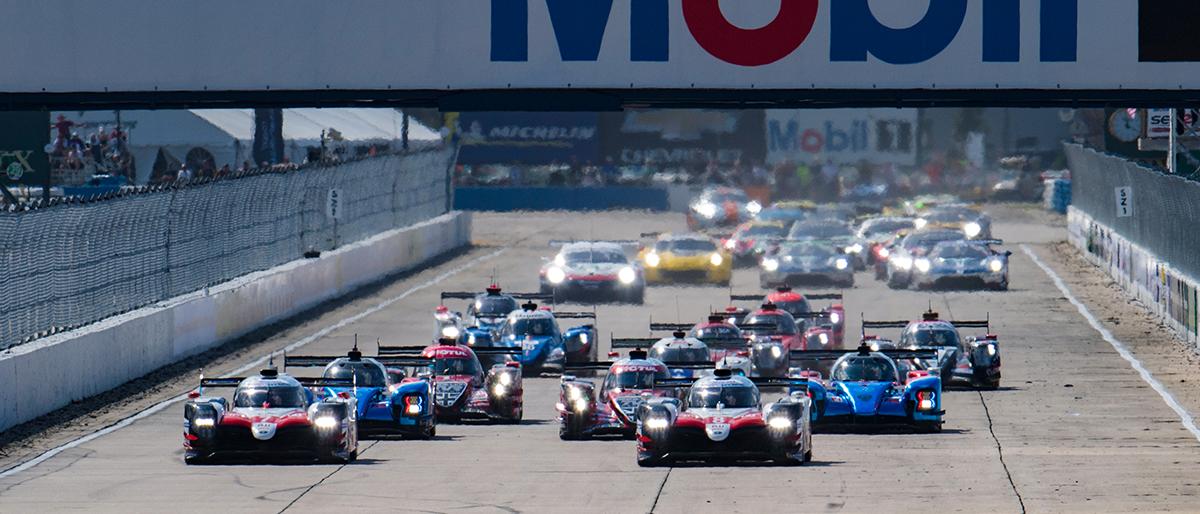
    2018-2019 FIA WEC Round 6 1000 Miles of Sebring

    GALLERY

    • PREVIEW
    • PRACTICE
    • QUALIFYING
    • RACE
    • WALLPAPER
    • 2018-2019 FIA WEC Round 6 1000 Miles of Sebring
    • 2018-2019 FIA WEC Round 6 1000 Miles of Sebring
    • 2018-2019 FIA WEC Round 6 1000 Miles of Sebring
    • 2018-2019 FIA WEC Round 6 1000 Miles of Sebring
    • 2018-2019 FIA WEC Round 6 1000 Miles of Sebring
    • 2018-2019 FIA WEC Round 6 1000 Miles of Sebring
    • 2018-2019 FIA WEC Round 6 1000 Miles of Sebring
    • 2018-2019 FIA WEC Round 6 1000 Miles of Sebring
    • 2018-2019 FIA WEC Round 6 1000 Miles of Sebring
    • 2018-2019 FIA WEC Round 6 1000 Miles of Sebring
    • 2018-2019 FIA WEC Round 6 1000 Miles of Sebring
    • 2018-2019 FIA WEC Round 6 1000 Miles of Sebring
    • 2018-2019 FIA WEC Round 6 1000 Miles of Sebring
    • 2018-2019 FIA WEC Round 6 1000 Miles of Sebring
    • 2018-2019 FIA WEC Round 6 1000 Miles of Sebring
    • 2018-2019 FIA WEC Round 6 1000 Miles of Sebring
    • 2018-2019 FIA WEC Round 6 1000 Miles of Sebring
    • 2018-2019 FIA WEC Round 6 1000 Miles of Sebring
    • 2018-2019 FIA WEC Round 6 1000 Miles of Sebring
    • 2018-2019 FIA WEC Round 6 1000 Miles of Sebring
    • 2018-2019 FIA WEC Round 6 1000 Miles of Sebring
    • 2018-2019 FIA WEC Round 6 1000 Miles of Sebring
    • 2018-2019 FIA WEC Round 6 1000 Miles of Sebring
    • 2018-2019 FIA WEC Round 6 1000 Miles of Sebring
    • 2018-2019 FIA WEC Round 6 1000 Miles of Sebring
    • 2018-2019 FIA WEC Round 6 1000 Miles of Sebring
    • 2018-2019 FIA WEC Round 6 1000 Miles of Sebring
    • 2018-2019 FIA WEC Round 6 1000 Miles of Sebring
    • 2018-2019 FIA WEC Round 6 1000 Miles of Sebring
    • 2018-2019 FIA WEC Round 6 1000 Miles of Sebring
    • 2018-2019 FIA WEC Round 6 1000 Miles of Sebring
    • 2018-2019 FIA WEC Round 6 1000 Miles of Sebring
    • 2018-2019 FIA WEC Round 6 1000 Miles of Sebring
    • 2018-2019 FIA WEC Round 6 1000 Miles of Sebring
    • 2018-2019 FIA WEC Round 6 1000 Miles of Sebring
    • 2018-2019 FIA WEC Round 6 1000 Miles of Sebring
    • 2018-2019 FIA WEC Round 6 1000 Miles of Sebring
    • 2018-2019 FIA WEC Round 6 1000 Miles of Sebring
    • 2018-2019 FIA WEC Round 6 1000 Miles of Sebring
    • 2018-2019 FIA WEC Round 6 1000 Miles of Sebring
    • 2018-2019 FIA WEC Round 6 1000 Miles of Sebring
    • 2018-2019 FIA WEC Round 6 1000 Miles of Sebring
    • 2018-2019 FIA WEC Round 6 1000 Miles of Sebring
    • 2018-2019 FIA WEC Round 6 1000 Miles of Sebring
    • 2018-2019 FIA WEC Round 6 1000 Miles of Sebring
    • 2018-2019 FIA WEC Round 6 1000 Miles of Sebring
    • 2018-2019 FIA WEC Round 6 1000 Miles of Sebring
    • 2018-2019 FIA WEC Round 6 1000 Miles of Sebring
    • 2018-2019 FIA WEC Round 6 1000 Miles of Sebring
    • 2018-2019 FIA WEC Round 6 1000 Miles of Sebring
    • 2018-2019 FIA WEC Round 6 1000 Miles of Sebring
    • 2018-2019 FIA WEC Round 6 1000 Miles of Sebring
    • 2018-2019 FIA WEC Round 6 1000 Miles of Sebring
    • 2018-2019 FIA WEC Round 6 1000 Miles of Sebring
    • 2018-2019 FIA WEC Round 6 1000 Miles of Sebring Wallpaper
      for Facebook
    • 2018-2019 FIA WEC Round 6 1000 Miles of Sebring Wallpaper
      for Facebook
    • 2018-2019 FIA WEC Round 6 1000 Miles of Sebring Wallpaper
      for PC & Mac
    • 2018-2019 FIA WEC Round 6 1000 Miles of Sebring Wallpaper
      for PC & Mac
    • 2018-2019 FIA WEC Round 6 1000 Miles of Sebring Wallpaper
      for iPad
    • 2018-2019 FIA WEC Round 6 1000 Miles of Sebring Wallpaper
      for iPad
    • 2018-2019 FIA WEC Round 6 1000 Miles of Sebring Wallpaper
      for iPhone
    • 2018-2019 FIA WEC Round 6 1000 Miles of Sebring Wallpaper
      for iPhone

    How to save Wallpaper

    For PC/Mac:

    Put cursor on the image of the wall paper, right-click and choose "save the photo as" or "save the file as" or "save as" from the menu. The saved file is compressed, when you unzip the file, there will be four photos of different size in the folder (size will be 1024 x 768、1366 x 768、1920 x 1080、1920 x 1200 ),then choose the one that is appropriate.

    For iPhone, iPad:

    Touch the image of the wallpaper for a few seconds, choose "save as" when the dialogue appears. The photo will be saved in a file. Go to the "settings" menu select "Wallpaper", then choose the photo to set as wallpaper.

    For Facebook:

    Put cursor on the image of the wall paper, right-click and choose "save the photo as" or "save the file as" or "save as" from the menu. When the file is downloaded, log-in your Facebook account and set it as the cover photo.

    WEC TOP

    RECOMMEND MOVIE

    NEWS

      INFORMATION

        CALENDAR

          CLOSE
          NEXT PREV
          CLOSE
          NEXT PREV